
Running a dropshipping store is the part most beginner guides skip. Choosing a niche and launching a store is the easy half. The harder half is what happens every day after the first sale: pricing, fulfillment, customer support, inventory, returns, and the small operational decisions that quietly decide whether the store stays profitable.
This page covers the operational side of a Shopify dropshipping store. Once the store is live and traffic is coming in, this is what the work actually looks like.
Short Answer
Shopify dropshipping operations cover everything that happens after launch: pricing products properly, fulfilling orders through suppliers, handling shipping questions and refunds, managing inventory signals, tracking margins, and keeping customers happy without holding stock yourself. The work is light per order if the setup is right, and impossible if it is wrong.
What Operations Actually Mean for a Dropshipping Store
A traditional ecommerce business spends most of its operational time on inventory, warehousing, and shipping. A dropshipping store moves those costs to the supplier, but the operational work does not disappear. It just shifts to a different set of tasks.
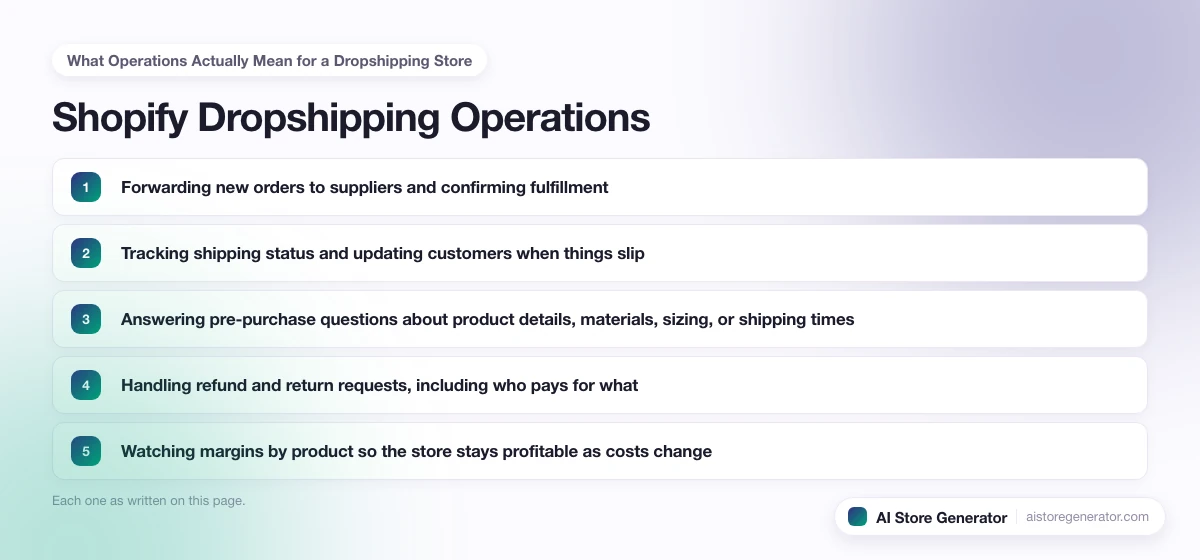
Day-to-day operations on a Shopify dropshipping store usually include:
- Forwarding new orders to suppliers and confirming fulfillment
- Tracking shipping status and updating customers when things slip
- Answering pre-purchase questions about product details, materials, sizing, or shipping times
- Handling refund and return requests, including who pays for what
- Watching margins by product so the store stays profitable as costs change
- Monitoring inventory signals from suppliers so out-of-stock items get hidden quickly
- Keeping product pages, prices, and policies up to date as the catalog changes
- Reviewing reports weekly to spot trends, slow movers, or rising fees
None of these are dramatic on a single order. They become the entire business when there are 30 or 300.
How to Price Dropshipping Products on Shopify
Pricing is where most stores quietly lose money. A common mistake is setting prices based on the supplier cost plus a markup, without subtracting the real costs of running the store.
The honest formula is:
Retail price minus (supplier cost + shipping + payment fees + app and platform fees + estimated returns + ad spend) = your real margin.
If that number is small or negative, the store can take orders and still go backwards. The fix is one of three:
- Raise prices to where the margin holds even after costs.
- Choose products where the supplier cost leaves real room to breathe.
- Build a brand and product page that supports a higher price without scaring buyers.
A useful target for paid traffic is a 25 to 40 percent margin after all costs. Organic traffic is more forgiving but the same math applies.
How to Automate Shopify Dropshipping
Automation is the difference between running a store as a side project and running it as a business. The right pieces to automate, in priority order:
- Order routing. Use the supplier’s Shopify app to send orders automatically. Manual order placement does not scale past a few sales a day.
- Tracking sync. Tracking numbers should flow from supplier back to Shopify, then to the customer email, with no manual copy-paste.
- Stock signals. Out-of-stock products should be hidden or marked unavailable automatically. Selling something that cannot ship is a refund waiting to happen.
- Email flows. Order confirmation, shipping update, delivery follow-up, review request, and a basic abandoned-cart sequence. Shopify Email or any beginner email tool handles this.
- Reporting. A simple weekly digest of revenue, refunds, top products, and slow products. Even a basic Shopify report check on the same day each week prevents surprises.
Automating these does not remove the owner. It frees the owner to focus on traffic, product testing, and customer relationships. For the full setup, including which apps to use, what to keep manual, and what to automate first, read the complete guide on how to automate Shopify dropshipping.
Handling Shipping, Returns, and Refunds
Shipping is the most common reason a dropshipping store loses a customer. Most shipping problems are not new problems. They are problems the store could have predicted and explained on the product page.
A short list of operational rules that prevent most issues:
- Show realistic shipping times on every product page and at checkout.
- Send a tracking number within 48 hours of order, even if it is a pre-shipment notice.
- Reply to shipping questions within a working day.
- For returns, decide in advance who pays the return shipping and write it into the policy. Many overseas suppliers do not accept returns, so the store may need to absorb returns as a cost of doing business.
- For refunds, default to refunding fast on low-value items. The cost of arguing usually exceeds the refund itself.
- Track refund rate by product. A product with a high refund rate is a problem product, not a sales problem.
Customer experience on these moments is what creates repeat buyers.
Inventory and Stock Control Without Holding Stock
A dropshipping store does not warehouse inventory, but it still has to behave like a store that does. Customers do not care that the supplier is the one running out. They blame the store.
The right approach is to treat supplier stock as live data:
- Connect the supplier app’s stock sync so out-of-stock items hide automatically.
- Audit the catalog monthly. Remove products with chronic supply issues.
- For best-sellers, ask the supplier to reserve units or quote a small bulk arrangement.
- For seasonal products, ask about lead times in the off-season so launch timing matches supply.
- Keep a backup supplier for the top five products. A single-source supply chain is a single point of failure.
This is one place where store owners often discover they need to switch from a marketplace app to a private agent or branded supplier as orders grow. For stores that sell mostly to American buyers, that upgrade often means moving to US-based dropshipping suppliers that ship domestically in a few days.
Customer Support That Scales
Dropshipping support tends to fall into three buckets:
- Pre-purchase questions: sizing, materials, shipping times, compatibility.
- Order status: where is it, when will it arrive, can I change the address.
- Post-delivery: wrong item, damaged item, missing piece, refund request.
The pre-purchase questions can be eliminated by better product pages. The order-status questions can be largely eliminated by better tracking emails. The post-delivery questions are the real customer support, and those should never be handled by canned templates.
A simple operational target: respond to any customer message within one working day. That alone places a store above most of its competitors.
Where AI Store Generator Fits in Operations
Most of the operational work above depends on having the right foundation in place. Product pages that explain shipping clearly. Policies that match what the supplier actually does. Collections that group products by real category, not by random tag. Tracking emails that look like a real brand, not a default Shopify template.
AI Store Generator builds that foundation for you. Product pages, collections, ready-to-sell pages, policy pages, and an SEO-first structure are in place from day one. You spend operational time on the parts that actually move the business, not on rebuilding store basics every time something breaks.
You still run the business. The tool just removes the setup work so the operational layer has somewhere good to sit on.
Common Operational Mistakes
Stores that struggle past month three usually share the same operational problems:
- No tracking discipline. Customers email asking where the order is because there is no proactive tracking email.
- Refund policies that do not match the supplier. The store promises “free returns” while the supplier accepts none.
- Out-of-stock items still listed for sale. Each sale becomes a refund and a bad review.
- Prices set once and never reviewed. Supplier cost drifts up, ad costs rise, margin quietly disappears.
- One supplier for everything. When that supplier has a bad week, the whole store stops working.
- Manual order forwarding. The owner becomes a bottleneck and burns out around the fortieth daily order.
These are not advanced problems. They are predictable, and every one of them has a one-time fix.
A Weekly Operations Review
A short routine prevents most surprises. Once a week, ten minutes of looking at the right data:
- Total revenue and orders for the week versus the prior week.
- Refund and chargeback rate. Any sudden spike points to a specific product or supplier.
- Top 5 selling products and their margins after all costs.
- Slow-moving products that have not sold in 30 days.
- Customer support inbox: average response time and any unresolved issues over three days old.
- One supplier check: pick a recent order, confirm tracking is real, packaging matched the listing, and shipping speed met the policy.
Most weeks this takes ten minutes. The weeks it takes longer are the weeks the store needs the most attention anyway.
For the broader beginner picture, the Dropshipping Basics for Shopify guide explains the model itself. If the store is not live yet, the Start a Dropshipping Business on Shopify guide walks through the launch process. And for choosing the right supplier in the first place, which decides most of the operational outcomes above, read Dropshipping Suppliers for Shopify.
When you are ready to stop reading and see a real store, AI Store Generator builds the Shopify dropshipping foundation in minutes so the operational work has somewhere good to start. Once the day-to-day is steady, Shopify dropshipping strategy covers the longer-term growth questions.
FAQ
How do I run a Shopify dropshipping store day-to-day?
Forward new orders to suppliers (via app or integration), confirm tracking, answer pre-purchase and shipping questions, handle refund and return requests, and review margins weekly. Most of the work is light per order once order routing and tracking sync are automated.
How do I price my dropshipping products on Shopify?
Start with a target margin of 25 to 40 percent after all real costs: supplier cost, shipping, payment fees, app fees, estimated returns, and ad spend. Anything tighter than that struggles to absorb a bad week. Raising prices is almost always more effective than chasing extra sales at thin margins.
Can you automate Shopify dropshipping?
Yes. Order routing, tracking sync, stock signals, basic email flows, and weekly reporting can all run automatically. The owner still handles real customer issues, supplier disputes, product testing, and growth decisions. Automation makes the store scalable, not hands-off.
How do I handle returns in dropshipping?
Decide before launch who pays the return shipping and write it into the policy. Most overseas suppliers do not accept returns, so the store often absorbs returns as a cost rather than physically returning the item. For low-value products, refunding quickly is usually cheaper than the alternative.
Who pays for shipping in a dropshipping store?
The customer pays for shipping at checkout, the supplier charges the store its own shipping cost when fulfilling the order, and the difference (or loss) sits with the store. Many stores offer “free shipping” by baking the shipping cost into the product price.
How do I manage inventory in a Shopify dropshipping store?
Use the supplier app’s stock sync so out-of-stock products hide automatically. Audit the catalog monthly. Keep a backup supplier for the top sellers. Treat supplier stock as live data and remove products with chronic supply issues rather than fighting them.
Why is my dropshipping store losing money even with sales?
Almost always a pricing problem. The retail price was set without subtracting payment fees, app fees, estimated returns, and ad spend. Sales feel like profit but the math leaves a thin or negative margin. Rerun the numbers per product and raise prices where needed.
Can I run a Shopify dropshipping store from my phone?
Mostly yes. Shopify has a mobile admin app that handles orders, basic edits, and customer messages. Product page rewrites, ad creative, and bigger catalog work are easier on a computer. The day-to-day operations side runs fine from a phone.
How does AI Store Generator help with operations?
AI Store Generator builds the store foundation (product pages, collections, ready-to-sell pages, policies, and SEO structure) so the operational work has a real store to sit on. You spend less time rebuilding store basics and more time on pricing, fulfillment quality, and customer experience.