
Most lists of the fastest Shopify themes give you a PageSpeed score from one test of a demo store. Run the same test again and the score moves. Worse, a demo score mostly measures the demo’s photos, videos and apps, none of which come with the theme. So we measured the part you do buy: the code a theme makes every shopper download before your products, photos and apps are added. On 6 November 2026 we weighed it for 69 themes from the Shopify Theme Store.
The Short Answer
The fastest Shopify themes, by the code they ship, are Shopify’s own free themes. Spotlight was the lightest of all 69, sending 37 KB of theme JavaScript and CSS on its demo homepage. Ride, Craft, Sense, Studio, Colorblock and Crave were all within 3 KB of it. Dawn, the theme most guides name, came in at 54 KB.
If you want a paid theme, Blum ($170), Expanse ($420) and Shapes ($420) were the lightest, all under 50 KB. The heaviest paid themes sent about seven times as much code as Spotlight.
Why We Weighed Code Instead of Running PageSpeed
A speed score is a mix of many things. The theme is one of them. Images, fonts, embedded videos, review widgets, chat bubbles and tracking pixels are the rest, and on a demo store the developer chose all of them to show off the design. Your store will have different images and different apps, so the demo’s score tells you little about yours.
Theme code is different. Every visitor downloads it on every page, whatever you sell, and you cannot switch it off without editing the theme. It is also stable: measure it twice and you get the same number. That makes it the fairest way to compare themes before you buy.
Here is how we did it. For each theme we opened its official demo store from the Theme Store, read the homepage HTML, and downloaded every JavaScript and CSS file served from the theme’s own folder. We added up their compressed size, which is roughly what crosses the network. Files a theme loads later, after a click or scroll, are not counted, so treat these as the cost of the first view.
The Lightest and Heaviest of 69 Themes
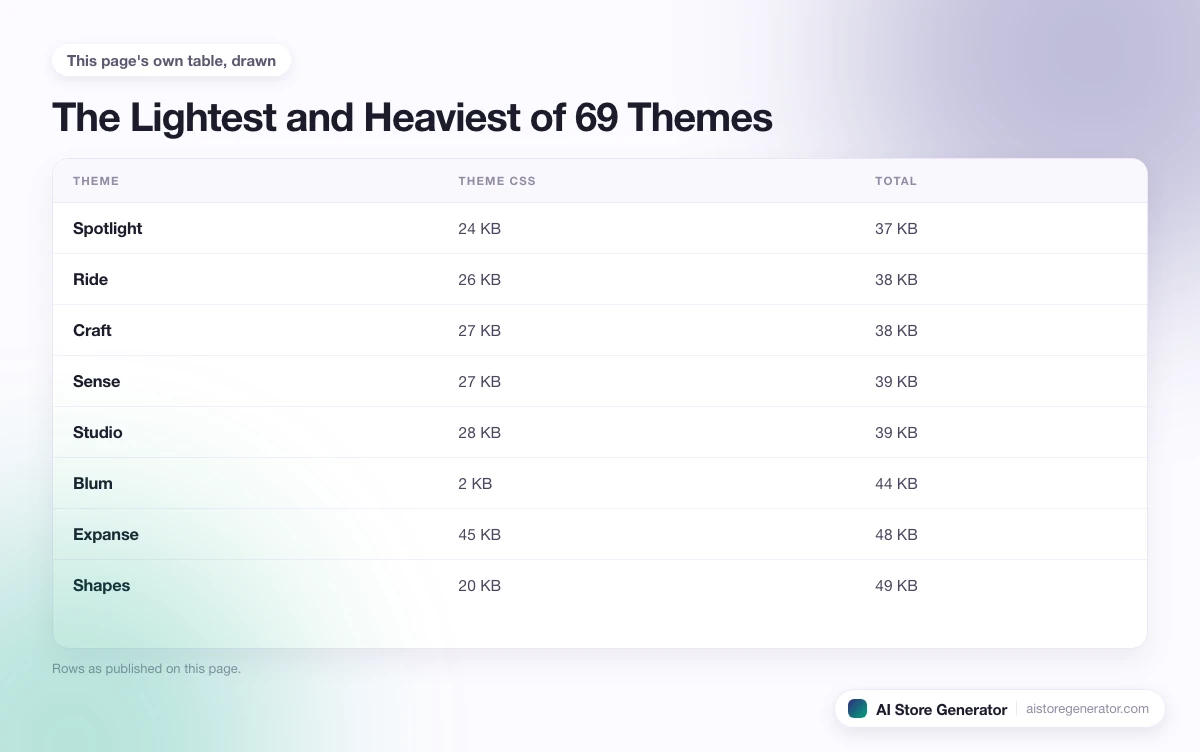
All figures are compressed kilobytes of theme code on the demo homepage, measured 6 November 2026.
| Theme | Price | Theme JavaScript | Theme CSS | Total |
|---|---|---|---|---|
| Spotlight | Free | 13 KB | 24 KB | 37 KB |
| Ride | Free | 11 KB | 26 KB | 38 KB |
| Craft | Free | 11 KB | 27 KB | 38 KB |
| Sense | Free | 11 KB | 27 KB | 39 KB |
| Studio | Free | 11 KB | 28 KB | 39 KB |
| Blum | $170 | 43 KB | 2 KB | 44 KB |
| Expanse | $420 | 3 KB | 45 KB | 48 KB |
| Shapes | $420 | 29 KB | 20 KB | 49 KB |
| Dawn | Free | 17 KB | 38 KB | 54 KB |
| Horizon | Free | 77 KB | 70 KB | 148 KB |
| Impulse | $500 | 89 KB | 57 KB | 146 KB |
| Creative | $100 | 182 KB | 71 KB | 253 KB |
| Pipeline | $360 | 182 KB | 82 KB | 265 KB |
| Avante | $380 | 154 KB | 115 KB | 268 KB |
| Volume | $380 | 164 KB | 105 KB | 269 KB |
Across the whole set, the median free theme shipped 54 KB of code and the median paid theme 137 KB. Price did not predict weight. Creative, one of the cheapest paid themes at $100, was the fourth heaviest. Expanse, at $420, was one of the lightest.
Shopify’s newer free themes are heavier than the old ones
This was the result we did not expect. The free themes split into two clear groups. The older ones that share Dawn’s code, such as Spotlight, Ride, Craft, Sense and Trade, all sent between 37 and 72 KB. The newer group that shares Horizon’s code (Atelier, Dwell, Fabric, Heritage, Savor, Tinker and Vessel) sent between 131 and 136 KB, and Horizon itself sent 148 KB, close to the paid median.
Horizon splits its code into many small files, 46 to 49 per homepage, and none of them is large. That is a modern pattern and it loads well on fast connections. But the total is still almost three times Dawn’s. If raw lightness is your goal, a Dawn-based free theme is the safer pick today.
The Speed Rule Shopify Wrote and Then Switched Off
To be listed in the Theme Store, a theme must average at least 60 on Lighthouse’s performance test across its home, product and collection pages. Shopify’s requirements set no limit on how much JavaScript or CSS a theme may ship. Our guide to what a Theme Store listing guarantees covers the rest of those rules.
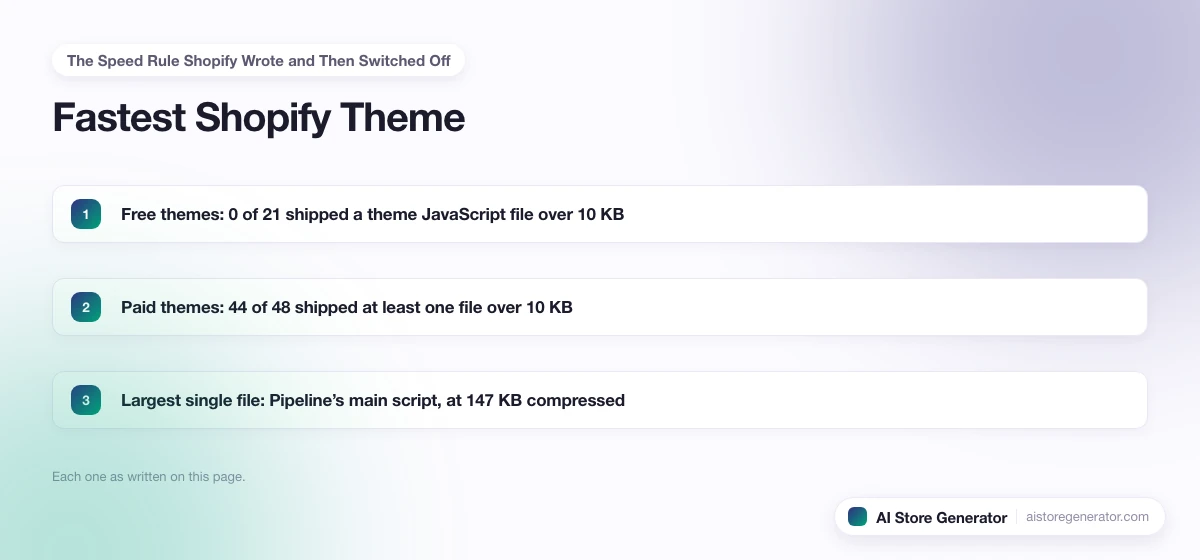
There is a stricter number, though. Shopify’s own code checker for theme developers, Theme Check, includes a rule that flags any JavaScript file larger than 10 KB compressed. It is turned off by default for themes, so nobody has to pass it. We checked every theme against it anyway:
- Free themes: 0 of 21 shipped a theme JavaScript file over 10 KB.
- Paid themes: 44 of 48 shipped at least one file over 10 KB.
- Largest single file: Pipeline’s main script, at 147 KB compressed.
A file over 10 KB does not make a store slow by itself. But Shopify wrote that limit for a reason, and only its own themes keep to it.
What a Fast Theme Cannot Fix
Even on the demo stores, the theme was not the only code loading. Every demo also sent scripts the theme did not ship, from Shopify’s own storefront scripts to the apps the developer installed. That came to between 36 and 159 KB per homepage, with a median of 62 KB. On many demos it was more than the theme itself.
Your store will be the same, only more so. We build Shopify stores for a living, and when one of ours feels slow, the cause is almost never the theme. It is the fourth app someone added for a pop-up, or a hero video uploaded straight from a phone. We start most stores on a light free theme and treat each new app as a cost that has to earn its place.
Images matter just as much. A 4 MB banner photo outweighs the entire code of every theme on this page. Shopify resizes images for you, but only if the theme asks for the right size, and only if you upload sensible files in the first place.
How to Check a Theme’s Weight Yourself
You can repeat our test in a few minutes with nothing but a browser:
- Open the demo store. On the theme’s Theme Store page, choose the demo for the style you like.
- Open developer tools. In Chrome, right-click the page, choose Inspect, then the Network tab, and reload.
- Filter to the theme’s files. Type
/cdn/shop/t/into the filter box. Everything left is code or images from the theme’s own folder. - Read the totals. Click the JS and CSS filter buttons in turn. The bar at the bottom shows how much was transferred.
- Compare with a light theme. Do the same on the Spotlight or Dawn demo. That gives you a baseline of about 40 to 55 KB.
Already running a store, or curious about one you admire? Our Shopify theme detector tells you which theme it uses, so you can look that theme up in the table above. For the SEO side of the same question, our guide to what an SEO ready Shopify theme really promises covers headings and page size on 29 demo stores.
Which Theme Should You Pick?
If speed is the deciding factor, start with a free Dawn-based theme. Spotlight, Ride, Craft, Sense and Studio are the lightest themes in the Theme Store and cost nothing. Our list of the best free Shopify themes compares how they look and what each is built for.
Pick a paid theme when it solves a real problem, such as a huge catalogue or a layout the free themes cannot do. If you go paid, Blum, Expanse and Shapes show that a premium design does not have to be heavy. For specific store types, see the best Shopify theme for dropshipping or the best SEO theme for Shopify.
If you would rather skip the comparison, AI Store Generator builds a complete Shopify store on a light theme, with products and pages already in place, so you start fast and stay that way as long as you add apps with care.
Frequently Asked Questions
What is the fastest Shopify theme?
By the code it makes shoppers download, Spotlight was the lightest of the 69 Theme Store themes we measured in November 2026, at 37 KB. Ride, Craft, Sense and Studio were within 2 KB of it. All are free.
Is Dawn the fastest Shopify theme?
Dawn is fast but not the lightest. It shipped 54 KB of theme code in our test, more than several free themes built on the same code, such as Spotlight and Ride.
Is Horizon slower than Dawn?
Horizon ships more code. Its demo homepage sent 148 KB of theme JavaScript and CSS, almost three times Dawn’s 54 KB, though it splits that across many small files.
Are paid Shopify themes slower than free ones?
On average they are heavier. The median paid theme in our test shipped 137 KB of code against 54 KB for the median free theme. A few paid themes, such as Blum and Expanse, were as light as the free ones.
Does theme speed affect SEO?
Page speed is one of many signals Google uses, mainly through Core Web Vitals. A light theme helps, but heavy images and apps can undo it, and content matters far more for rankings.
Why is my store slow if my theme is fast?
Usually apps and images. Each app can add its own scripts to every page, and large uploaded photos often outweigh the whole theme. Remove apps you do not use and compress big images before changing themes. Our guide to Shopify theme speed on real stores shows a simple test that tells you whether the theme or your apps are to blame.