
Most guides answer this with a range. “Start with 10 to 20 products,” they say, with no explanation of where the number comes from. The honest answer is: the number you should start with is the number your ad budget can actually test and your niche can actually fill.
This page replaces the generic ranges with a real framework. You will see how starting product count ties to ad budget, how niche depth caps the upper limit, when to kill a product, and why the standard “filler product” advice usually makes stores weaker, not stronger. If you are still working out the launch budget, the dropshipping budget guide covers the money side. This page covers the catalog side.
The Short Answer
Start with 1 to 3 hero candidates if you are testing one product at a time. Launch with 5 to 15 products if you are opening a niche store. Anything past 25 in the first month is almost certainly working against you.
The reason most beginner stores fail with too many products is not the products. It is the testing. Each product needs paid attention to know whether it works. Spread your budget too thin and you learn nothing about any of them.
The right number is whatever your ad budget can actually move data on, with a small set of supporting products that fill out the catalog without diluting focus.
Why “5 to 20” Is the Wrong Answer
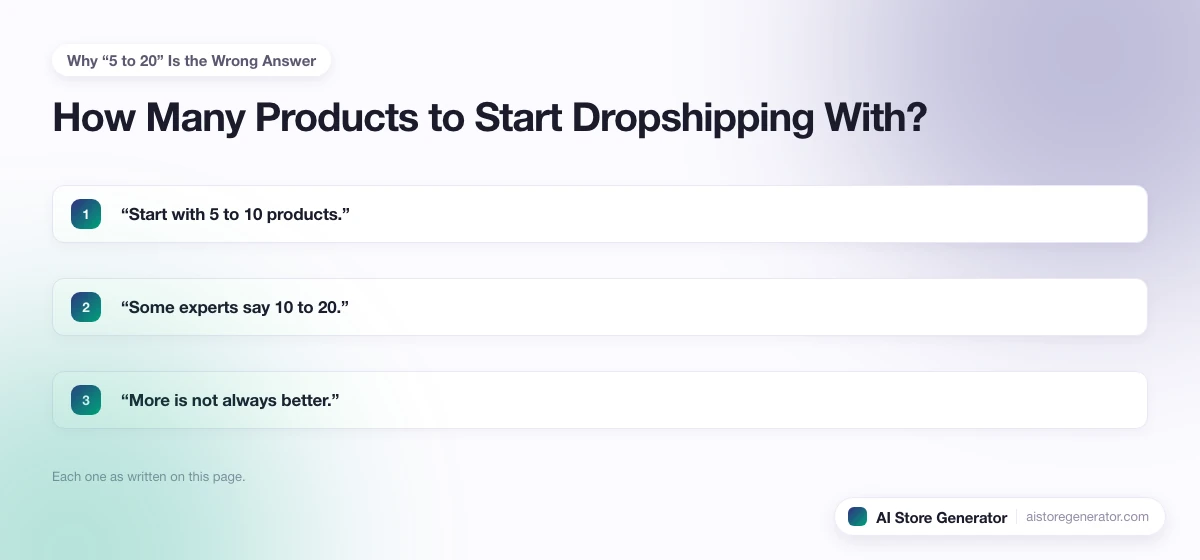
The top-ranking pages on this question all give a number with no reasoning behind it. The shape of the advice is always:
- “Start with 5 to 10 products.”
- “Some experts say 10 to 20.”
- “More is not always better.”
None of them tie the number to the only variables that actually matter: how much you can spend testing each product, how many viable products exist in the niche, and what stage of the store you are in. Without that, the number is a guess painted to look like a recommendation.
The real question is not “how many products should I start with.” It is “how many products can I actually evaluate inside my testing budget, and what should the rest of the catalog look like.”
The Three Things That Set Your Real Number
Three inputs decide your starting catalog. Everything else is noise.
- Ad budget per day. Each product you test in parallel needs roughly $10 to $20 per day in spend to generate enough sessions to make a decision in a reasonable timeframe. If you have $30 per day, you cannot meaningfully test five products at once.
- Niche depth. Some niches have hundreds of viable products. Others have 12. A store in a thin niche cannot carry 30 products without padding the catalog with off-niche filler that hurts focus.
- Store stage. A first-week test store is not the same as a niche store at week six. The right product count moves through stages, not a single fixed number.
Build the count around these three. Ignore the generic ranges.
Match Product Count to Ad Budget
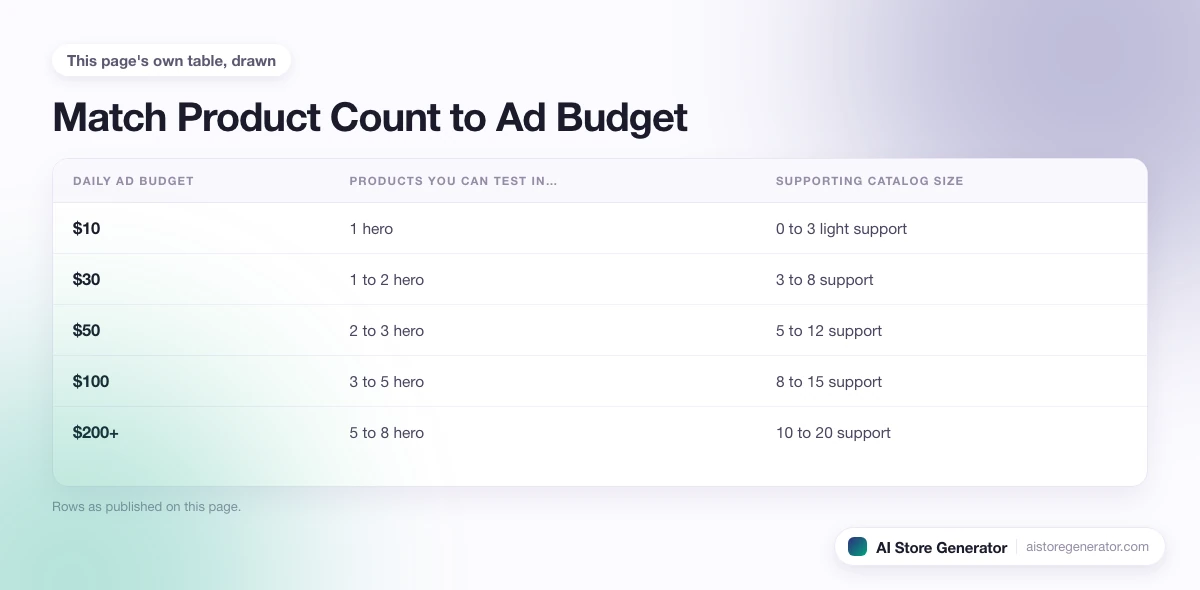
This is the table the ranking pages refuse to publish. If your daily ad budget is your real constraint, the number of products you can actually test in parallel looks like this:
| Daily ad budget | Products you can test in parallel | Supporting catalog size | Total starting catalog |
|---|---|---|---|
| $10 | 1 hero | 0 to 3 light support | 1 to 4 products |
| $30 | 1 to 2 hero | 3 to 8 support | 4 to 10 products |
| $50 | 2 to 3 hero | 5 to 12 support | 7 to 15 products |
| $100 | 3 to 5 hero | 8 to 15 support | 11 to 20 products |
| $200+ | 5 to 8 hero | 10 to 20 support | 15 to 28 products |
“Test in parallel” means an active ad campaign with daily spend allocated to that product. “Support” means products that round out the store, help with cross-sell, and signal that this is a real store rather than a one-product landing page. Support products do not need their own ad campaigns at launch.
If you only have $10 per day, do not list 30 products. List one hero and a handful of supports, and put every dollar of testing budget into the hero. Spreading $10 a day across five products is how beginners burn $300 and end the month with no data.
The Three Stages: Validation, Launch, Scale
The right product count is not one number. It changes as the store moves through stages.
Stage 1: Validation (Week 0 to 2)
You are testing hero candidates to find a product that converts. Listing 1 to 3 hero candidates is correct here. Anything more and the testing budget per product drops below useful.
What you are looking for: a product that hits a cost-per-add-to-cart your margins can support, and at least a few orders within the testing window.
Stage 2: Launch (Week 2 to 6)
A hero is working. Now you build the catalog around it. Add 5 to 15 products that share the same audience, complement the hero, or extend the use case. The store starts looking like a real ecommerce site rather than a single-product page.
The hero stays the primary ad target. The supports take cross-sell and email revenue while the hero scales.
Stage 3: Scale (Week 6 and beyond)
Once you have repeatable orders and a clear customer profile, you expand. Add products that match the buyer, refresh collections, and start testing secondary heroes. Most successful Shopify dropshipping stores stabilise at 20 to 60 active products in a focused niche.
If a store has 200 products at week six, that is usually a sign of either no real focus or supplier-app imports nobody is editing.
The Niche-Depth Ceiling
Niche depth is the part most guides miss. Before you decide a number, check how many viable products actually exist for the niche.
A useful test:
- Search the niche on your chosen supplier marketplace and count the products with realistic shipping, decent images, and reviewable ratings
- If you find fewer than 10, this is not a niche store. It is a one-product or hero-product store, and the framework changes
- If you find 50 or more, the niche has room for a real launch catalog and future expansion
- If you find 200 or more, focus matters more than count; pick the cleanest 20 to 30 rather than importing everything
Niche depth also affects long-term content potential. A thin niche has fewer collection pages, fewer blog topics, fewer cross-sell paths, and a lower ceiling on organic traffic. None of this is a reason to abandon the niche, but it is a reason to keep the launch count smaller.
When to Kill a Product
Adding products is easy. Cutting them is the discipline that separates real stores from cluttered ones.
A reasonable kill threshold for a tested product:
- $50 to $100 in ad spend with no add-to-cart at all, and the product is cold; cut it
- 500 to 1000 sessions with no order at any price point; cut it
- A unit economics gap that no realistic ad campaign can close; cut it
- A supplier that ships in 30+ days when buyers expect 14; cut it or swap suppliers
Killing products keeps the catalog focused. A 12-product store that ruthlessly removes losers will outperform a 60-product store that hoards every import.
The Filler-Product Question
A common piece of beginner advice says you need 20 to 30 “filler products” to make the store look credible. This is half right and mostly wrong.
What is true: an empty store with one product looks like a landing page, not a shop. Customers expect to see a catalog, even if they only buy one thing.
What is wrong: random filler imported to hit a number does not help. Off-niche filler dilutes focus, confuses the niche signal Google reads, and gives visitors exit ramps from the hero product. Filler also burns time you should spend rewriting the hero’s product page.
The right approach is what you might call supporting products: items in the same niche, designed for the same customer, that complement the hero. A pet niche store selling a dog travel crate as the hero would support it with travel bowls, calming aids, and seatbelt clips, not random pet products from across the marketplace.
Three or four supporting products done well beat fifteen filler products done lazily.
Where AI Store Generator Fits
AI Store Generator helps with the catalog side of the problem.
Instead of staring at a supplier marketplace trying to decide which 10 to 20 products to import, you describe the kind of store you want. The tool builds a Shopify dropshipping store with a focused product set, product pages written for buyers, collection pages targeting real searches, and an SEO-first structure.
You still pick the hero and decide which products earn ad spend. The difference is that the catalog you start with is already focused on a niche and built around customer use cases, instead of a 200-product supplier dump you have to prune by hand.
Common Product-Count Mistakes
Patterns that show up on stores that start with the wrong count:
- Importing 100 products in week one because the supplier app allows it
- Listing a dozen “hero candidates” because the budget cannot test more than two
- Treating every imported product as a hero candidate
- Refusing to cut a product that has spent $200 with no conversions
- Padding the catalog with random off-niche items to look bigger
- Adding products faster than product pages can be rewritten
- Starting with one product and no supporting catalog at all
- Picking a niche so thin that ten products is the entire viable set
The fix in every case is the same. Match the count to budget and stage, kill what is not working, and keep the catalog focused on one customer.
Frequently Asked Questions
What is the absolute minimum number of products to start a dropshipping store?
Technically one. One-product stores work for some hero products with strong unit economics and a clear buyer. Most beginners do better with one hero plus 3 to 6 supporting products in the same niche, so the store reads as a real shop.
Is it bad to start with too many products?
Yes, for two reasons. Each product needs its product page rewritten and tested, which takes time. And every product that earns ad spend dilutes the budget available for the hero. A 50-product launch is almost always slower than a focused 10-product launch.
How many products should I test with paid ads at launch?
One to three at a time, depending on budget. At less than $30 per day in ad spend, test one product. Between $30 and $100, test two or three. Above $100 per day, three to five is realistic.
Can I add products after launching?
Yes, and you should. The launch catalog is a starting point, not a fixed structure. Add products that match the data you collect once orders start coming in.
How do I know when to remove a product?
Use spend and session thresholds, not feelings. If a product has had $50 to $100 in ad spend with no add-to-cart, or 500 to 1000 sessions with no orders, cut it. Hoarding losing products clutters the catalog and hides the winners.
Do I need at least 20 products to look professional?
No. A focused store with 5 to 10 products in a clear niche looks more professional than a 50-product store of unrelated imports. Focus signals are stronger trust signals than catalog size.
Should I list the same product in multiple variants as separate listings?
No. Combine variants under a single product page. Multiple listings of the same product confuse Google, dilute reviews, and split traffic. One product page, many variants.
Start Small, Test, Then Expand
The right number of products to start a dropshipping store with is the number you can actually test inside your real budget, in a niche that has room for the catalog you plan to build.
That is rarely the number any single guide gives. For most beginners it is one hero product plus 3 to 12 supporting items, with a clear plan to add or remove based on what the data shows.
If you would rather start with a focused, niche-matched catalog instead of importing from scratch, AI Store Generator builds that starting point in minutes. You decide which products earn the ad budget from there.