
A print on demand app connects your Shopify store to a fulfillment supplier. When a customer places an order, the app sends it directly to the supplier, who prints the product and ships it to your customer. You never handle inventory, pack a box, or buy stock upfront.
Printify is the print on demand app AI Store Generator uses. It is one of the largest POD networks available for Shopify, with a catalog of more than 2,000 customizable products, 70+ print providers and 140+ print facilities spread across the US, Europe and beyond. When you build a print on demand Shopify store with AI Store Generator, your products are built around the Printify catalog so everything is ready for you to connect your Printify account and go live.
How Printify Works as a Shopify POD App
Printify installs into your Shopify store as an app. Once you connect your Printify account, it syncs with your store and links each product to the correct Printify listing, complete with your design, your pricing, and your chosen print provider.
When an order comes in through your Shopify store, Printify receives it and sends it to the print provider. The provider prints and ships the product directly to your customer. The difference between your sale price and Printify’s base cost is your profit.
You are not involved in any of those steps once your store is live. You still need a Shopify plan to run the storefront itself, which is separate from Printify’s own pricing. If you are not sure what that costs, we cover it in is Shopify free.
Why AI Store Generator Uses Printify
Printify is a network of print providers rather than a single supplier. That means more product options, more flexibility on pricing, and print providers located close to your customers in most major markets. For a single product you will often have a choice of several providers at different base costs and different turnaround times, which is control you do not get from a one-factory supplier.
For Shopify store owners, Printify offers a free plan that covers everything you need to get started. You only pay the base cost of a product when an order comes in. There are no monthly fees on the free plan and no upfront costs.
AI Store Generator uses Printify because it gives new store owners the widest product range at the lowest barrier to entry. Whether you are selling apparel, wall art, mugs, phone cases, or journals, Printify has a huge range of Shopify print on demand products and the print providers to fulfill them.
Building stores is what we do all day, and the pattern we see most often is not a supplier problem. It is that people spend three weeks choosing between POD apps and then never finish the store. The app you pick matters far less than whether your product pages, descriptions and collections actually exist. That is the part we automate, and it is the part that stalls most new sellers.
Try AI Store Generator
Create a POD Shopify Store in 5 Minutes
How AI Store Generator and Printify Work Together
Setting up a Shopify POD store manually involves installing Printify, browsing the product catalog, creating listings one by one, uploading designs, setting prices, and configuring a print provider for each item. For a store with twenty or thirty products, that process takes hours.
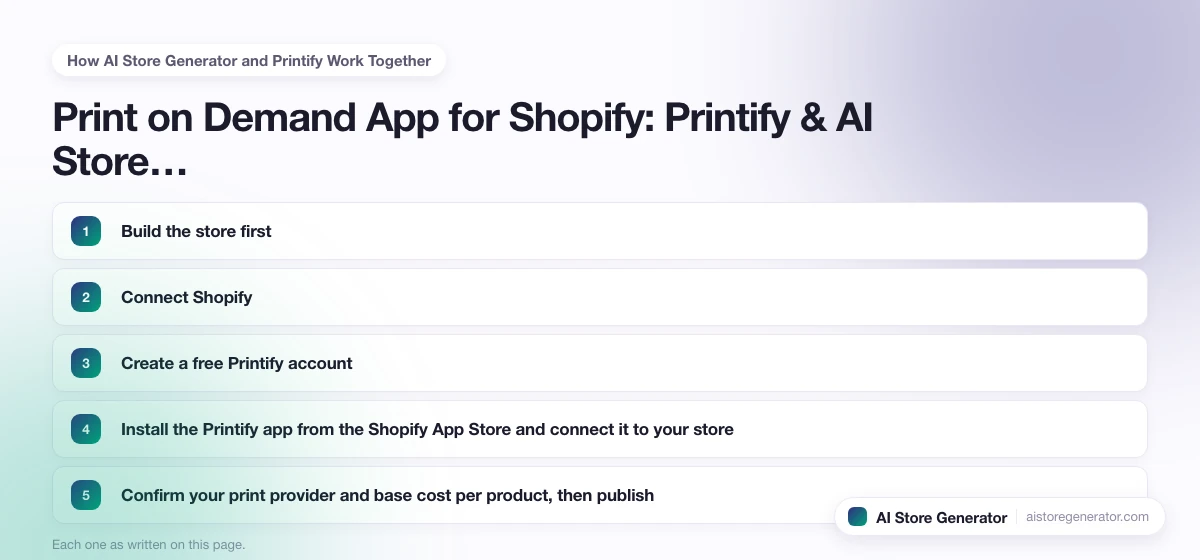
The order we recommend, and the order our builder follows, is this:
- Build the store first. Products, collections, descriptions, homepage and page structure all generated around the Printify catalog, before any account is connected.
- Connect Shopify. Your generated store is pushed into your own Shopify admin, where you own and can edit everything.
- Create a free Printify account. It takes a couple of minutes and costs nothing.
- Install the Printify app from the Shopify App Store and connect it to your store.
- Confirm your print provider and base cost per product, then publish. Printify handles everything after the sale.
The reason the store comes first is that the Printify connection is the quick part. The slow part is deciding what you sell and writing it up, and that is the work most people never finish on their own.
What You Can Sell Through Printify on Shopify
Printify has one of the largest product catalogs of any POD supplier. These are the categories that perform consistently well for Shopify POD stores.
Apparel
T-shirts, hoodies, hats, leggings, socks, dresses, and activewear. Apparel is the most popular POD category globally and Printify has print providers that specialize in it across multiple regions.
Home and wall art
Canvas prints, posters, blankets, pillows, and flags. High-margin products that sell well as gifts and home decor year-round.
Paper and stationery
Journals, planners, notebooks, stickers, greeting cards, and calendars. Strong niche communities with consistent repeat purchase behavior.
Accessories and gifts
Mugs, phone cases, tote bags, candles, and jewelry. Mugs and phone cases are among the top-selling POD products globally and are available through multiple Printify print providers.
Printify Pricing for Shopify Sellers
Printify has three plans. These figures come from Printify’s own pricing page and were checked on 6 October 2026, so compare them against the live page before you budget.
- Free, $0 per month. Full product catalog, up to 5 stores per account, unlimited product designs. You pay Printify’s standard base cost per order and nothing else. For most new stores this is all you need.
- Premium, from $39 per month, or from $24.99 per month billed yearly. Up to 20% off all products and up to 33% off new products, 10 stores per account, AI mockups and order management through Printify Connect.
- Enterprise, custom pricing. Unlimited stores and additional discounts, aimed at sellers with significant daily sales.
The arithmetic on Premium is simple. At a 20% discount you need roughly $195 of monthly base cost before the saving covers a $39 fee, so if your base costs are under about $200 a month you are paying for the privilege. Start free, watch your base cost total, and upgrade when it crosses that line rather than on day one.
Remember that Printify’s plan is not your only cost. Your Shopify plan is billed separately, and ads, if you run them, will dwarf both.
Getting Started with Printify
Want the best print on demand for Shopify? Try us. AI Store Generator builds your Shopify store around the Printify catalog so everything is ready before you connect a single account. Once your store is built, connecting Shopify and Printify takes a few minutes and your store is live.
If you want a Shopify print on demand store without spending hours on setup, go to AI Store Generator and build yours today.
Frequently Asked Questions
Which print on demand app is best for Shopify?
There is no single answer that fits every store, because the right app depends on what you sell and where your customers are. Printify is the one we build around, because its network of 70+ print providers gives you a choice of base cost and shipping location on most products rather than one fixed option. If you want the longer comparison, read our guide to the best print on demand for Shopify.
Does Printify work with Shopify?
Yes. Printify has an official Shopify app, and the integration is two-way: product listings push from Printify into Shopify, and orders flow from Shopify back to Printify automatically. You can connect it either from the Shopify App Store or from Manage my stores inside your Printify account.
Do I need a Printify account before I use AI Store Generator?
No. You build your store with AI Store Generator first, connect your Shopify account, and then create and connect your Printify account as the final step. Creating a Printify account is free and takes a couple of minutes.
Does Printify charge a monthly fee?
The Printify free plan has no monthly fee. You only pay the base cost of each product when an order is placed. Premium starts at $39 per month, or $24.99 per month if you pay yearly, and takes up to 20% off all products and up to 33% off new ones. It is worth it once your monthly base costs are high enough for the discount to beat the fee.
How much money do I need to start with Printify?
Printify itself needs nothing upfront on the free plan, because products are only made after a customer pays. Your real starting costs are the Shopify subscription and whatever you spend getting the first visitors in. Our breakdown of how much money to start dropshipping applies to POD stores too, since the cost structure is the same.
Do people actually make money with Printify?
Some do and plenty do not, and the difference is rarely the app. Your margin is the gap between your retail price and the base cost, so a store selling a $35 tee against a base cost in the high single digits has room to work with. What kills POD stores is paying more to acquire a customer than that gap is worth. We go through the numbers in is dropshipping profitable.
Which Printify print provider should I use?
Printify gives you a choice of print providers for most products. AI Store Generator selects products based on the Printify catalog, and when you connect your account you can review and confirm your preferred provider for each item. For most sellers starting out, the default recommended provider for each product is a reliable choice. If most of your customers are in one country, pick a provider in that country to cut shipping time.
Can I add more products to my store after setup?
Yes. Once your store is live on Shopify with Printify connected, you can browse the Printify catalog and add new products at any time directly through the Printify app.
What happens if a customer has a problem with their order?
Printify handles production and shipping, and its Merchant Protection terms cover a free reprint or refund within 30 days when an order arrives with a manufacturing error. Printify’s support team manages the claim with the print provider. You handle the customer communication from your end, so reply quickly and keep the tone calm, because a reprint sent the same week usually turns a complaint into a repeat buyer.