
Search for print on demand websites and you get two kinds of answer. One is a list of print companies to sign up with. The other is a gallery of brands whose stores look nice. Neither covers the part that decides whether your own site sells: a print on demand website is selling a product that does not exist yet. The shirt is printed after the customer pays. So the site has to explain things a stocked store never has to, starting with the gap between the order and the day it leaves the printer. That gap is usually two to seven business days before shipping even begins, and most new stores never say so anywhere.
What a print on demand website actually is
A print on demand website is your own online store, on your own domain, connected to a print provider. A customer orders from you, the order passes to the provider automatically, they print and ship it under your name, and they bill you for production and postage. You keep the difference.
That is different from selling on a marketplace like Redbubble or Amazon Merch on Demand, where you upload a design to someone else’s site and they pay you a royalty. If you are still choosing between those two routes, our page on the best print on demand sites compares them on when each one actually pays you. This page is about the first route: the site you own.
Owning the site is what lets you build a brand and keep a customer list. It is also what makes you responsible for every promise the site makes, including the ones you did not realise it was making.
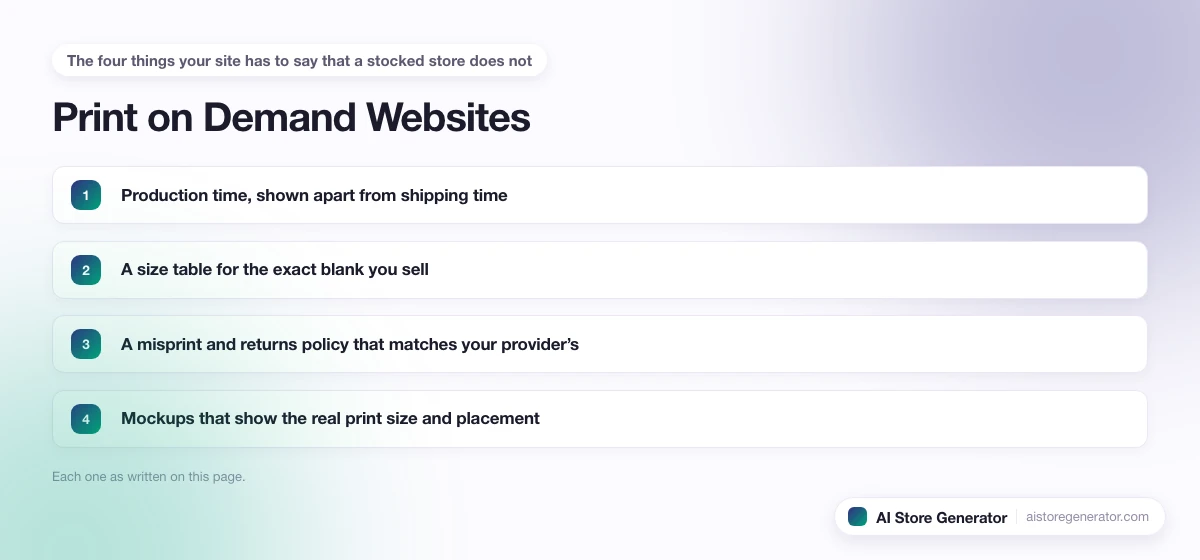
The four things your site has to say that a stocked store does not
A store that keeps stock can ship today, sells one size chart for one product, and replaces a faulty item from the shelf. A print on demand store can do none of those, so four things have to be written down where buyers will see them:
- Production time, shown apart from shipping time. The order is made before it is posted.
- A size table for the exact blank you sell. Two plain white T-shirts from different makers do not fit the same.
- A misprint and returns policy that matches your provider’s. You cannot promise more than the printer will cover.
- Mockups that show the real print size and placement. The photo is the only product the buyer sees.
Each one is covered below, with where it goes on the site.
1. Production time: the number that sets your delivery promise
Print companies publish how long they take to make an order, and it is longer than most new sellers assume. Printful’s help centre puts average fulfillment at two to five business days, and is clear that this excludes shipping. Knitwear takes seven to twelve business days, stretching to nine to sixteen in November and December. Printify says most orders ship within two to seven business days of being submitted, and that production cannot be expedited.
Here is the detail almost nobody connects to that. When you list products on Google through Merchant Center, the delivery estimate is built from two separate numbers. Handling time is how many days it takes you to get the order out the door. Transit time is how long the carrier takes. Google’s own example uses zero to one handling days. A stocked store can live with that. A print on demand store that copies it is telling Google, and therefore the shopper, that a hoodie will arrive several days before it can.
So set handling time to your provider’s real production range, not the default. Then say the same thing on the site, in three places:
- On every product page, near the add to cart button: “Made to order. Ships in 2 to 7 business days, then 3 to 5 days in transit.”
- On a shipping page linked from the footer, broken down by product type if your range covers knitwear or all-over prints.
- In the order confirmation email, so the customer is not checking tracking on day two.
Use your own provider’s figures, not ours. If you sell from two providers, use the slower one.
2. A size table for the blank, not a generic one
Every print on demand product starts as a blank from a specific maker, and each maker cuts differently. Printify, for example, offers both the Bella+Canvas 3001 and the Gildan 5000 T-shirt, and their size tables are not the same. A generic “S, M, L, XL” chart copied from a theme demo will be wrong for at least one of them.
Take the measurements from your provider’s catalogue page for that exact blank and put them on the product page, in a tab or a pop-up beside the size selector. If you sell the same design on two blanks, give each its own table. This is the single cheapest way to cut returns, because “it did not fit” is the one complaint a print company will not pay for.
3. A returns policy that matches what your printer covers
Because nothing is made until it is ordered, print companies do not take back items that are simply the wrong size or no longer wanted. They do reprint or refund genuine faults, like a misprint or damage in transit, within a set reporting window. Our page on print on demand companies sets out what each major provider does when an order goes wrong.
Your site’s policy should mirror that, not a high street shop’s. A sensible version says three things plainly:
- Faulty or misprinted items are replaced or refunded if reported within your provider’s window, with a photo.
- Change-of-mind returns are not accepted because each item is made for that order, or are accepted at your own cost if you choose to absorb it.
- Exactly how to report a problem, and how quickly you reply.
Shoppers accept “made for you, so no change-of-mind returns” far more readily than they accept finding it out after the parcel arrives. Link the policy from the footer and from the size table, since that is where the worry starts.
4. Mockups that show what will actually arrive
On a stocked store, the product photo is a picture of something on a shelf. On a print on demand site it is a promise, and it is the main source of “this is not what I ordered” complaints. The usual cause is a mockup with the design scaled up to fill the shirt when the print area is smaller, or placed higher than the printer will put it.
Generate mockups from the provider’s own tool, using the real print area, and show at least one with the garment on a person so the scale is obvious. For image size, Shopify’s help centre says a square product image of 2048 by 2048 pixels usually displays best, and anything up to 5000 by 5000 pixels is accepted. Upload every mockup at the same size so the collection grid lines up.
What we see when we build these stores
When we build a print on demand store, the production line on the product page is the first thing we write, before the theme is even styled. Without it the designs can be good and the store can look finished, and the first customer email still arrives on day three asking where the order is. A shipping page whose first line says “made to order” answers that question before anyone has to ask it.
Where the site itself comes from
Most print on demand websites run on Shopify, because every major print provider connects to it directly and orders flow across without you touching them. The setup steps, from connecting a provider to publishing your first product, are in our Shopify print on demand guide. If you are still choosing a provider, our Printful vs Printify comparison covers what each one does to your store, and the print on demand business page works through what the margin has to cover each month.
The store build is the slow part for most people. AI Store Generator builds the store for you, so you can spend the first week on the four pieces above instead of on theme settings. When you are ready, you can start a Shopify store and connect your provider.
Frequently Asked Questions
What is a print on demand website?
It is an online store you own, connected to a print company that makes and ships each item after it is ordered. You set the prices and keep the customer, and the print company bills you for each order it fulfils.
Can I make a print on demand website for free?
The print companies themselves are free to join, but the store is not. A Shopify store needs a paid plan once any trial ends, and a custom domain costs extra. Marketplaces like Redbubble are free to sell on because they own the website, not you.
How long does a print on demand order take to arrive?
Production plus shipping. Printful averages two to five business days to make an order and Printify says most ship within two to seven, before the carrier’s transit time is added. Knitwear and busy seasons run longer.
What should a print on demand website say about returns?
That faulty or misprinted items are replaced if reported within your provider’s window, and whether change-of-mind returns are accepted at all. Most print companies only cover faults, so a policy that promises more leaves you paying the difference.
Do I need a size chart on a print on demand store?
Yes, and it should be for the exact blank you sell. Different makers cut their shirts differently, so a generic chart will be wrong for some products and wrong sizes cannot be returned to the printer.
What size should print on demand product images be?
Shopify recommends 2048 by 2048 pixels for square product images and accepts up to 5000 by 5000. Keep every mockup the same size so collection pages line up.
Is a print on demand website better than selling on a marketplace?
It is better if you want to build a brand and keep your customers, and worse if you want sales without doing any marketing. A marketplace brings its own shoppers; your own site only gets the visitors you send it.