
A print on demand profit margin is not one number. The 20% to 40% you see quoted everywhere is the margin on a medium tee sold at full price, which is the best order your store will ever get. The same design in 3XL, bought with a discount code and shipped free, can earn close to nothing, or lose money. So the useful answer is a margin for each size and each way a customer can buy. This page shows you how to work it out, how to price around the leaks, and how to make Shopify report the real figure instead of the flattering one.
Why every margin figure you have read is the best case
The guides from the big print providers give ranges like 20% to 40%, or 30% to 50%. Their worked examples use one product in one size. Printful’s runs a $25 tee with $15 of costs to get 40%. That maths is correct. It just describes one row of your price list.
A real listing has a row for every size and colour, and your provider charges you a different amount for some of them. Your customers also pay different amounts for the same product, depending on whether they used a code or crossed a free-shipping line. Your margin is the average of all those rows, weighted by what people actually buy. That is why a store can price every product at “40%” and still find the money does not add up at the end of the month.
Margin and markup are not the same number
Before the sizes, one mix-up that costs people a lot. Markup is what you add on top of your cost. Margin is what you keep, as a share of the price. A 50% markup is not a 50% margin.
| Your cost | Markup you add | Price | Margin you keep |
|---|---|---|---|
| $15 | 50% | $22.50 | 33% |
| $15 | About 67% | $25.00 | 40% |
| $15 | 100% | $30.00 | 50% |
If you want a set margin, divide your cost by one minus that margin. For a 40% margin on a $15 cost, that is $15 divided by 0.6, which gives $25. If a pricing tool or spreadsheet asks you for a percentage, check which of the two it means. Someone who sets “40%” in a markup field gets a 29% margin and never finds out why.
The sizes that quietly cost you more
Bigger garments use more fabric, and providers pass that on. Printful’s help center spells out the rule: from 2XL upward it adds a fixed charge per size on top of the base price, $2.00 a step on its Free plan and $1.65 on its Growth plan. The charge stacks as the size goes up; Printful’s own example is that a 4XL carries it twice. Printify’s providers set their own size prices, so check each one in the catalogue before you publish.
Most stores sell every size at one price, because that is how the listing looks tidy. Here is what that does to a single tee. The numbers are an illustration, not any provider’s price list, so swap in your own:
| Size | Price | Product cost | Margin before shipping |
|---|---|---|---|
| S to XL | $28 | $14 | 50% |
| 2XL | $28 | $16 | 43% |
| 3XL | $28 | $18 | 36% |
That looks survivable. The trouble starts when the other leaks land on the same order.
Discounts and free shipping hit the big sizes hardest
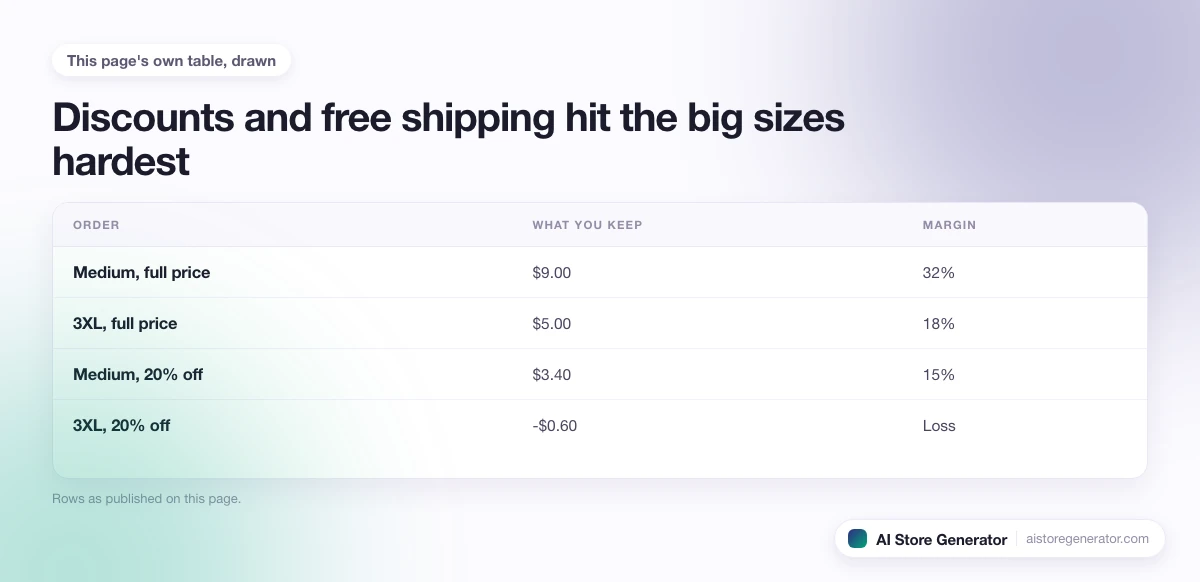
A discount comes off the price, but your cost stays exactly where it was. So every percent you give away comes straight out of your margin, and the thinner the margin was, the bigger the bite. Shopify’s own help center uses a $20 tee that costs $10: 50% margin at full price, 33% once it is sold at 25% off.
Now take the same illustration tee, add $5 of shipping you pay because you offer free shipping, and run a 20% code:
| Order | Customer pays | Your cost with shipping | What you keep | Margin |
|---|---|---|---|---|
| Medium, full price | $28.00 | $19.00 | $9.00 | 32% |
| 3XL, full price | $28.00 | $23.00 | $5.00 | 18% |
| Medium, 20% off | $22.40 | $19.00 | $3.40 | 15% |
| 3XL, 20% off | $22.40 | $23.00 | -$0.60 | Loss |
Card processing fees come out on top of that, so the real figures are a little lower again. The headline margin on this product is 50%. The worst order it can take loses money before you have spent anything on ads. Our page on whether print on demand is profitable picks up from here, with how much each sale can cost you to win.
How to price so every size earns its keep
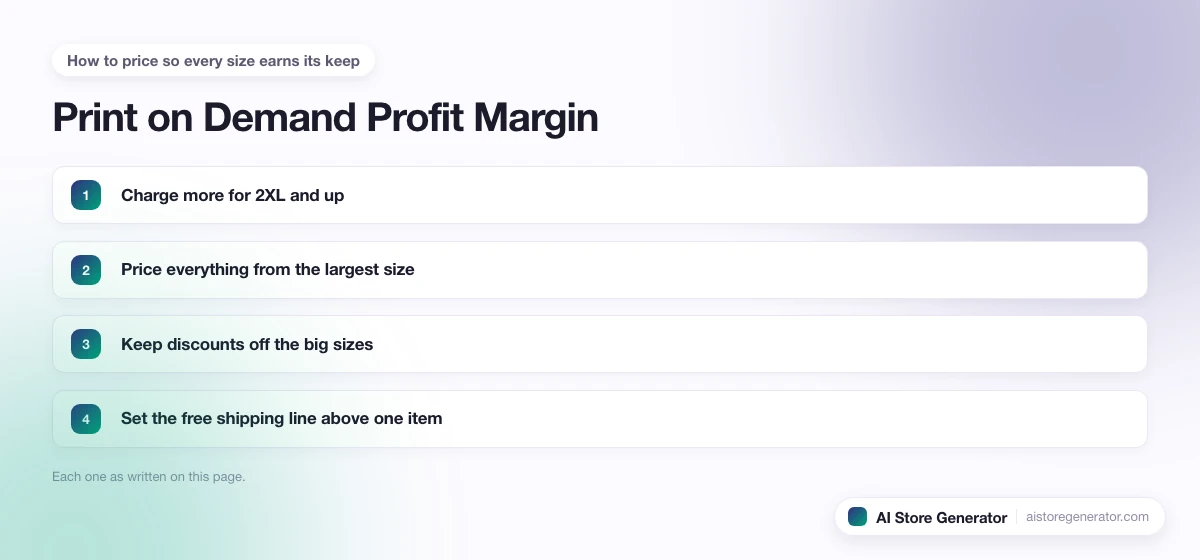
You do not need a complicated price list. You need each row to clear the margin you chose. Pick one of these and use it across the store, so customers see a pattern rather than random numbers:
- Charge more for 2XL and up. Add roughly what your provider adds, rounded to a clean figure. Shoppers are used to this on clothing, and it is the most direct fix.
- Price everything from the largest size. Set one price that still gives you your margin on the 3XL. You earn more on the small sizes and keep a tidy listing, at the cost of a slightly higher headline price.
- Keep discounts off the big sizes. Shopify discount codes can be limited to specific products or collections, so a launch code can leave out the items that cost you the most to make.
- Set the free shipping line above one item. If free shipping only starts at two items, the order that triggers it usually carries a second margin to pay for it. The print on demand suppliers guide explains why a second item from the same provider ships for less.
Whichever you choose, set the price from the cost of a sample that actually arrived, not from the mockup. Our guide on how to start print on demand covers when to order that sample so it costs you less.
Make Shopify show you the real margin
Shopify can work out your margin for you, but only if you give it your costs, and only at the level you give them. It has a field called Cost per item in the Price section of each product. Fill it in and the product page shows your margin next to the price.
Three details decide whether that number means anything:
- It has to be entered on each variant. Shopify’s help center says so directly: if a product has variants, you edit each one to add its cost. Put the medium’s cost on every size and Shopify will happily tell you the 3XL earns 50%.
- Profit reports skip anything without a cost. Shopify only reports profit for variants that had a cost recorded at the time they sold. A blank field does not show as zero profit. It just disappears from the report, so the store looks better than it is.
- The product page uses full price; the reports use what people paid. The margin next to your price ignores discounts and refunds. The Gross profit by product variant report includes them. If the two numbers are far apart, your codes are doing the damage.
The field is also a fixed number, so it will not follow your provider when it changes a price. When your provider updates its catalogue, update the cost too. Shopify’s cost per item also leaves out shipping, so treat the margin it shows as the margin before postage and fees, the same as the third column of the size table above.
What we see when we build these stores
When we build a print on demand store, the price we check first after the products come in is the one on the biggest size, because that is the row nobody looks at until the numbers stop adding up. It is also the cheapest fix on the whole store: one edit per product, made once. AI Store Generator gets your products and store built quickly, and the size prices are worth five minutes of your own attention before you open.
A margin check for each product, in five steps
- Write down your provider’s cost for every size you sell, from its catalogue or your sample invoice.
- Decide the margin you want before shipping. Most of the guides land between 30% and 50%.
- Divide each size’s cost by one minus that margin. That is the lowest price that size can carry.
- Add the shipping you pay and your largest regular discount, and check the worst row still leaves something.
- Enter each size’s cost in Shopify’s Cost per item field, then read the variant report after your first month of sales.
If you are still choosing between providers, the cost of the big sizes is a good tiebreaker; our Printful vs Printify comparison covers the other differences. And if you have not set up your store yet, you can start a Shopify store and follow the Shopify print on demand guide from there. For what the business costs each month regardless of sales, see our print on demand business page.
Frequently Asked Questions
What is a good profit margin for print on demand?
The provider guides put a typical range at about 20% to 40%, with some products higher. Treat that as the target for your worst common order, not your best one. If a 3XL with a discount code still clears your target, the rest of the size range will too.
How do you calculate print on demand profit margin?
Take the price the customer paid, subtract your provider’s cost for that exact variant, then divide by the price. To include postage, subtract the shipping you paid as well. Do it per size, not once per product.
What is the difference between markup and margin?
Markup is added to your cost; margin is your profit as a share of the price. A 50% markup on a $15 cost gives a $22.50 price and a 33% margin. To get a 40% margin you need a 67% markup.
Should I charge more for bigger sizes?
Usually, yes. Printful adds a fixed amount per size from 2XL up, and Printify’s providers set their own size prices. Either charge more for 2XL and above, or set one price that still works for your largest size.
What is the Printify or Printful profit margin?
Neither provider sets your margin; you do, through your price. What they set is your cost, and that varies by product, size, provider and plan. Work out the margin from the cost your provider charges for each variant you sell.
Why does Shopify show a different margin in reports?
The margin on the product page uses the full price. The profit reports use net sales, so discounts and refunds lower it. Shopify also leaves out any variant that had no cost per item recorded when it sold.