
Most lists of print on demand suppliers are really lists of apps: Printful, Printify, Gelato, CustomCat. Sign up with one and you are done. But on Printify, the company you connect to your store prints nothing itself. Every product you create is assigned to one print provider, an independent print shop in its network, and that shop is your actual supplier. It decides the blank, the print area, the shipping rate and how long the order sits before it ships. You pick it per product, you can change it later, and Printify can change it for you. This page is about that choice, the one that shows up in your customer’s parcel.
The supplier is not the app you install
There are two layers in most print on demand setups. The top layer is the platform: the app that connects to your Shopify store, holds your designs and passes orders along. The bottom layer is the place with the printers, the blanks and the packing table. With some companies those are the same business. With Printify they are not.
Printify works as a marketplace of print providers. When you open a product in its catalog, say a Bella+Canvas 3001 tee, you see a list of providers who print that exact shirt, each with its own price, location and score. The one you click is who receives the order. Our page on print on demand companies covers the platform layer and how each company handles a misprint. This page stays on the layer underneath it.
Two stores can sell the same design on the same shirt through the same app and ship customers noticeably different products, because they picked different providers.
What changes from one print provider to the next
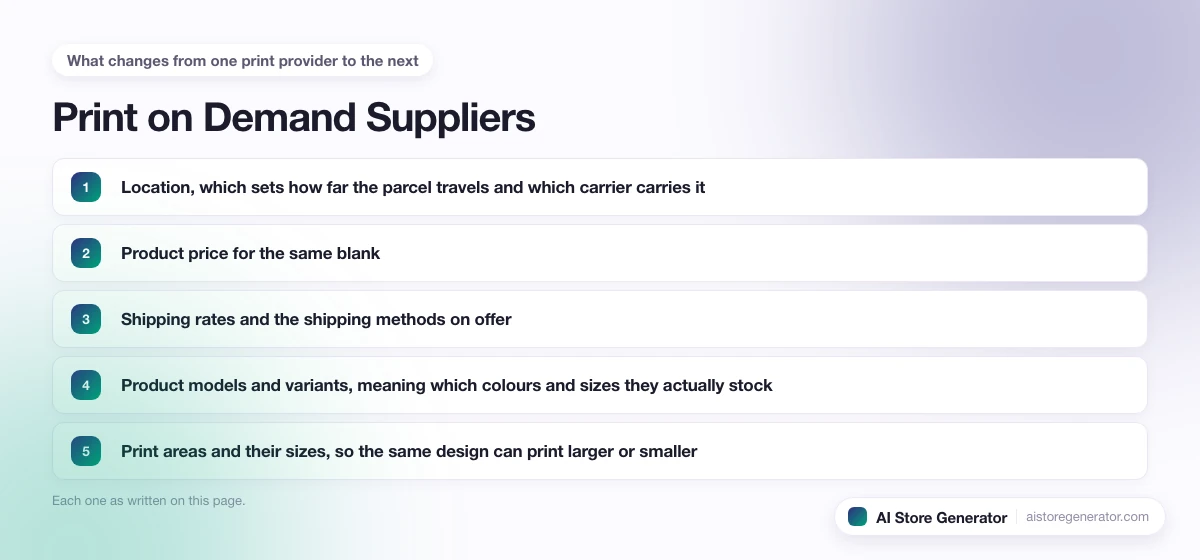
Printify’s own help centre lists the ways its providers differ. It is a longer list than most sellers expect:
- Location, which sets how far the parcel travels and which carrier carries it.
- Product price for the same blank.
- Shipping rates and the shipping methods on offer.
- Product models and variants, meaning which colours and sizes they actually stock.
- Print areas and their sizes, so the same design can print larger or smaller.
- Performance score, which Printify breaks into quality, production speed, and samples and shipping.
- Extras such as packaging inserts, gift messages and neck labels.
- Printing equipment and methods.
The last one matters more than it sounds. Printify notes that even providers printing the same garment with the same technology run their own colour tests, so the same file can come out a slightly different shade from two shops. A sample from one provider tells you nothing about another.
How to choose a print provider for each product
You do not choose one supplier for the whole store. You choose one per product, and the questions are the same each time:
- Start with where your buyers live. A provider in the same country ships faster and cheaper. If most of your orders will go to the US, filter for US providers first and ignore the rest.
- Check the colours and sizes before the price. A cheaper provider that does not stock the colour your design was made for is not cheaper.
- Compare the print area to your file. If your design was laid out for a large print area, a provider with a smaller one will shrink it or crop it.
- Read the shipping rate, not just the product price. Printify does not include shipping in the product price, so the real cost of a sale is both numbers added together.
- Look at the performance score. Production speed is the part your customer feels, because it sits in front of the carrier’s delivery time.
- Order a sample from the provider you picked. Not from the platform in general, from that shop.
Production time also becomes a promise on your store. The print on demand websites guide shows where that number belongs on your product pages so the customer is not surprised by it.
What happens when one cart holds two suppliers
This is the cost most new stores find out about from their first real order. Printify gives a reduced “additional item” shipping rate only when the items are a similar product type and come from the same print provider. When items come from different providers, the full first-item rate applies to each of them.
So picture a customer who buys a tee and a hoodie. If both are printed by the same provider, you pay one first-item rate and one additional-item rate. If the tee comes from one shop and the hoodie from another, you pay two first-item rates, and the customer gets two parcels on two different days. Printify’s own example of a UK provider’s rates is 3.98 US dollars for the first item and 1.29 for each additional one, which shows how wide that gap can be on a single order.
Printify also notes that bulkier products like mugs and canvases may not get the reduced rate at all, even from one provider. Size groups count too: two canvases from different size groups are each charged as a first item.
The fix is simple and boring. Keep each product family on one provider. All your shirts and hoodies with one shop, all your wall art with another, and set your Shopify shipping rates knowing which combinations will be charged twice.
Switching suppliers without losing the listing
A provider runs out of a colour, raises prices or starts slipping on production time. You do not have to rebuild the product. Printify’s Replace option, in My products, lets you keep the same product model and move it to a new provider, or switch to a different blank entirely. Printify says the product URL and listing stay the same on the store side, and the product’s SEO and history are kept.
Three things to check when you do it:
- The design placement. Your artwork is applied to the new provider’s print area automatically, but that area may be a different size, so look at it before you confirm.
- Bulk switching has a rule. You can move many products at once with More actions, then Replace provider, but only if every selected product is the same model with the same current provider. All colour and size variants are moved; you cannot pick some.
- Republish with the shipping profile. After a bulk switch, Printify asks you to publish the products again and tick the shipping profile box, so your store shows the new provider’s rates.
Printify also advises against using Replace to change product type, such as a poster to a tee. Make a new product for that instead.
When Printify switches the supplier for you
Printify can also move an order to a different provider on its own, but only if you turn on a feature that allows it. The main one is Order Routing. With it switched on, an order can go to another provider when the product is out of stock, discontinued, the original shop is temporarily closed, production would be much slower, or (for single-item orders) the customer is in a different region from your provider. It also tries to keep multi-item orders with one provider to save on shipping.
The detail none of the supplier lists mention is the limit on your artwork. Printify caps the design scaling for a rerouted order at 7%. If moving the order to another provider would mean shrinking your design by more than that, the order is not rerouted. On a design 12 inches wide, 7% is under an inch, so your print stays very close to what you approved.
A few more things that come with Order Routing:
- You set a maximum extra cost per item, and can allow exact product matches only.
- You cannot exclude particular providers. Printify picks the alternative.
- The SKU of a rerouted item changes, though your saved products do not.
Printify Choice is a different model. Instead of you picking a shop, Printify picks from its network for each order and does not tell you which provider printed it. Printify says a design can be adjusted by up to 7% there too, mostly with unusual colours. It suits sellers who would rather not manage providers at all, at the cost of never knowing exactly who made the item.
What we see when we build these stores
We build Shopify print on demand stores with Printify connected, and the provider question is the one people skip. They choose the platform carefully and then accept whichever shop sits at the top of the list for each product, which is how a store ends up with its tees, hoodies and mugs spread across four providers and every mixed order paying full shipping more than once.
What we do instead is pick one provider per product family before a single listing goes live, and check the print area against the artwork at that point, not after a customer complains. It is a ten-minute decision that sets the shipping cost of every order the store will ever take.
Picking suppliers and getting a store live
If you are still choosing between the big platforms, Printful vs Printify covers how each one changes the way your store runs, and the best print on demand for Shopify comparison sets Printify, Printful and Gelato side by side.
Once you know which providers you want, AI Store Generator builds the Shopify store around them: it creates the store from your niche, connects Printify, and loads products you can then point at the providers you picked. The Shopify print on demand guide walks through each step, and you can start a Shopify store when you are ready to connect it.
Frequently Asked Questions
What is a print on demand supplier?
It is the business that prints and ships each item after a customer orders it. On some platforms that is the platform itself. On Printify it is the print provider you assign to each product, an independent print shop in Printify’s network.
Who are the best print on demand suppliers?
There is no single best one, because the right provider depends on where your buyers are, which blank you sell and whether that provider stocks your colours. Compare location, total cost with shipping, print area and performance score for each product, then order a sample.
Can I use more than one print on demand supplier in one store?
Yes, and most stores do. Just keep each product family on one provider. On Printify, items from different providers in the same order are each charged the full first-item shipping rate and arrive in separate parcels.
Can I change print providers without losing my product listing?
Yes. Printify’s Replace option moves a product to a new provider while keeping the store URL, listing and product history. Check the design placement afterwards, because the new print area may be a different size.
Does Printify ever change my print provider automatically?
Only if you turn on a feature that allows it, such as Order Routing or Printify Choice. Order Routing will not reroute an order if your design would have to shrink by more than 7%.
Are there print on demand suppliers in the USA?
Yes. Printify’s catalog lets you filter providers by location, and choosing a provider in the same country as your buyers usually means faster delivery and lower shipping rates.
How do I know if a print provider is reliable?
Check its performance score on Printify, which covers quality, production speed, and samples and shipping, then order a sample from that exact provider. A sample from a different provider on the same platform does not tell you how this one prints.