
So your Shopify store is live, the design’s on point, and you’ve got products you’re genuinely proud of. Nice.
Except…
Organic traffic? Barely a blip. Search rankings? You don’t even show up for your own product names. Google Search Console? Honestly just depressing at this point.
Let’s be real: this isn’t just about “improving SEO.” This is about fixing a system that was never built to perform in the first place.
If you’ve already tried optimizing your titles, rewriting descriptions, installing three different SEO apps, and still feel stuck… here’s your permission slip to stop spinning your wheels.
Because sometimes, the smarter play with Shopify SEO isn’t fixing, it’s rebuilding. Decide if you got off to a bad start, keep reading.
And in 2025, using an AI Store Generator to create a Shopify site that’s SEO-first from the jump? That might be your best move yet.
The Hard Truth About Beginners on Shopify and SEO
Shopify sells itself as plug-and-play. Launch a store, pick a theme, upload some products, and boom, you’re in business.
Except, that’s not how search engines work. They don’t care how good your homepage looks. They don’t reward “fast setup.” They reward structure. Clean design. Relevance. And content built with purpose.
Shopify gives beginners the tools, yes, but it doesn’t optimize for you. If you didn’t build your store with SEO in mind from day one, chances are you’re missing critical elements that Google’s looking for.
And here’s the thing most beginners and even advanced Shopify folks don’t want to admit:
You can only tweak a broken setup so far before you’re just drowning in never ending Shopify SEO audit.
So let’s do something different.
What Actually Improves Shopify SEO? For Beginners.
Before we talk about AI-powered rebuilds, let’s be clear about what good Shopify SEO actually looks like. If you’re serious about learning about SEO and ranking, this is the foundation. You can also checkout out Shopify SEO tips for more info on this topic or our Shopify SEO checklist.
1. Clean Site Structure
No chaos. Your store needs clear navigation: homepage → collections → products.
URLs should be readable, short, and keyword-relevant. No random strings. No unnecessary nesting. Just clean, crawlable structure that makes sense to both humans and bots.
2. Unique Meta Titles + Descriptions
Every page should have its own title and meta description – none of that “Home – My Shopify Store” nonsense. Use keywords where it makes sense, but write like a human. Clicks matter just as much as rankings.
3. Original Product Descriptions
This one hurts because it’s tedious, but it’s non-negotiable. If you’re using the same descriptions as 15 other sellers with the same supplier… congratulations, you’re invisible. Write like you’re selling, not checking boxes.
4. Mobile-First, Speed-Obsessed
Your store has to load fast. Especially on mobile. Google’s not playing around with Core Web Vitals anymore. Compress your images. Ditch unnecessary apps. Choose an SEO-friendly theme that prioritizes performance, not just aesthetics.
5. Content That Targets Search Intent
Blog posts. Collection descriptions. FAQs. Guides. Every piece of content is an opportunity to answer questions your ideal customer is Googling. If your content strategy is “just write a blog sometimes,” you’re not even in the game.
But What If You’ve Done All That… and It’s Still Not Working?
Here’s where most beginners on Shopify get a bit lost:
You’ve read the guides. You’ve installed the plugins. You’ve tried editing every meta title manually. And your rankings… barely move.
Why?
Because if your foundation wasn’t SEO-read, and at some point, it’s smarter, not lazier, to just start fresh.
Enter: The AI Store Generator a Beginners Dream
Imagine rebuilding your Shopify store from the ground up, only this time, everything is designed to rank. The structure. The content. The metadata. All of it.
That’s exactly what an AI Store Generator does.
Instead of DIY-ing your way through 200 product pages, blog posts, and technical fixes, you get a store that’s built right the first time, by a system trained on what actually works.
Here’s what that means in real terms for people who don’t need to know any code to get a store built.
Try AI Store Generator
Build a Shopify Store in 2 Minutes
What an SEO-First AI Store Build Looks Like
Keyword-Driven Product Pages
Product names and descriptions that actually include relevant keywords, and not in a spammy, robotic way. These are written for SEO and conversions.
Bonus: many AI store generators even include FAQs directly on the product pages, which gives you long-tail keyword coverage and helps get featured in Google’s “People Also Ask” boxes.
Metadata That’s Done (and Done Right)
No more 50 blank meta descriptions or auto-generated titles. Every page comes pre-loaded with optimized meta data tailored to your niche, product type, and keyword targets.
It’s the little things that make a big difference.
Internal Linking Built-In
Your store isn’t just a collection of pages, it’s a system. Smart internal linking between collections, products, and content pages increases crawlability and helps distribute ranking power.
An AI-built store maps this out for you from the start.
SEO-Optimized Blog Content Ready to Roll
No time to write blogs? No idea what to write about?
Some AI generators can produce SEO-focused blog content that targets real search queries, guides, listicles, and tutorials, so your store can rank for more than just product pages.
It’s content marketing without the guesswork.
The Bottom Line: Why Starting Over Might Be Smarter
Look – this isn’t about giving up. It’s about recognizing when you’re patching cracks in a wall that was never structurally sound.
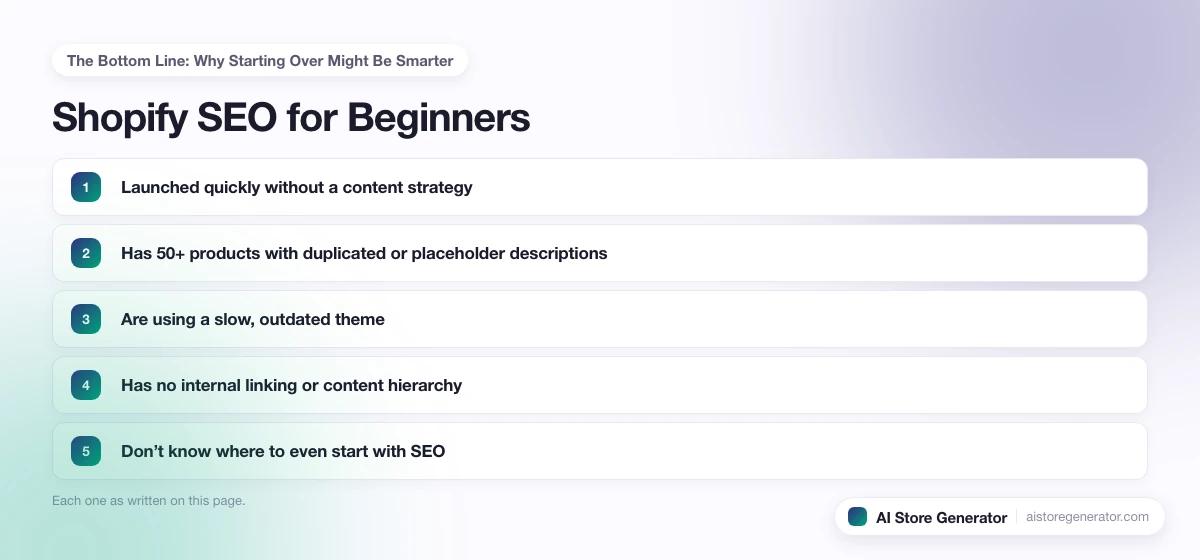
Rebuilding with an AI Store Generator isn’t cheating. It’s leveraging smarter tools to get better results faster. Especially if you’re a beginner that:
- Launched quickly without a content strategy
- Has 50+ products with duplicated or placeholder descriptions
- Are using a slow, outdated theme
- Has no internal linking or content hierarchy
- Don’t know where to even start with SEO
At that point, starting over isn’t just easier, it’s more effective.
Want to Go Manual Instead? Here’s the Shortlist
Still want to DIY your SEO improvement plan? Respect.
Here’s the essential to-do list:
- Rewrite every product description to include keywords and real, helpful copy
- Fix all meta titles and descriptions manually using Google Search Console data
- Compress every image and delete unused apps to speed up your store
- Create a content calendar targeting actual search queries (not just “news”)
- Build internal links between products, collections, and blogs
- Submit your sitemap and monitor indexing monthly
- Track results over time, and be patient, SEO is a long game
That’s the long road. But if you’ve got the time, it works.
Final Thoughts: Even Beginners Should Build With SEO in Mind
Getting beginners Shopify SEO isn’t about installing a plugin or changing a few titles. It’s about how your store is built.
If you’ve got a solid foundation, great. Optimize and scale. But if you’re stuck, frustrated, or exhausted from making micro-fixes that don’t move the needle?
Start smarter.Use an AI Store Generator. Let it handle the technical, structural, and content side of SEO while you focus on what you’re actually good at, your products, your brand, and your customers.
Because at the end of the day, better rankings don’t come from working harder. They come from working with the right system.